
Reachy 3.4: An AI Agent for LinkedIn Outreach, Not Another Campaign Manager
Reachy 3.4 ships a new interface, and it is not a reskin. Reachy now works like an AI agent you brief, not a campaign manager you operate. Its own LinkedIn engine does the legwork, AI scores every lead and writes the messages, and you spend your time on the only part that needs a human: conversations with people who said they’re interested.
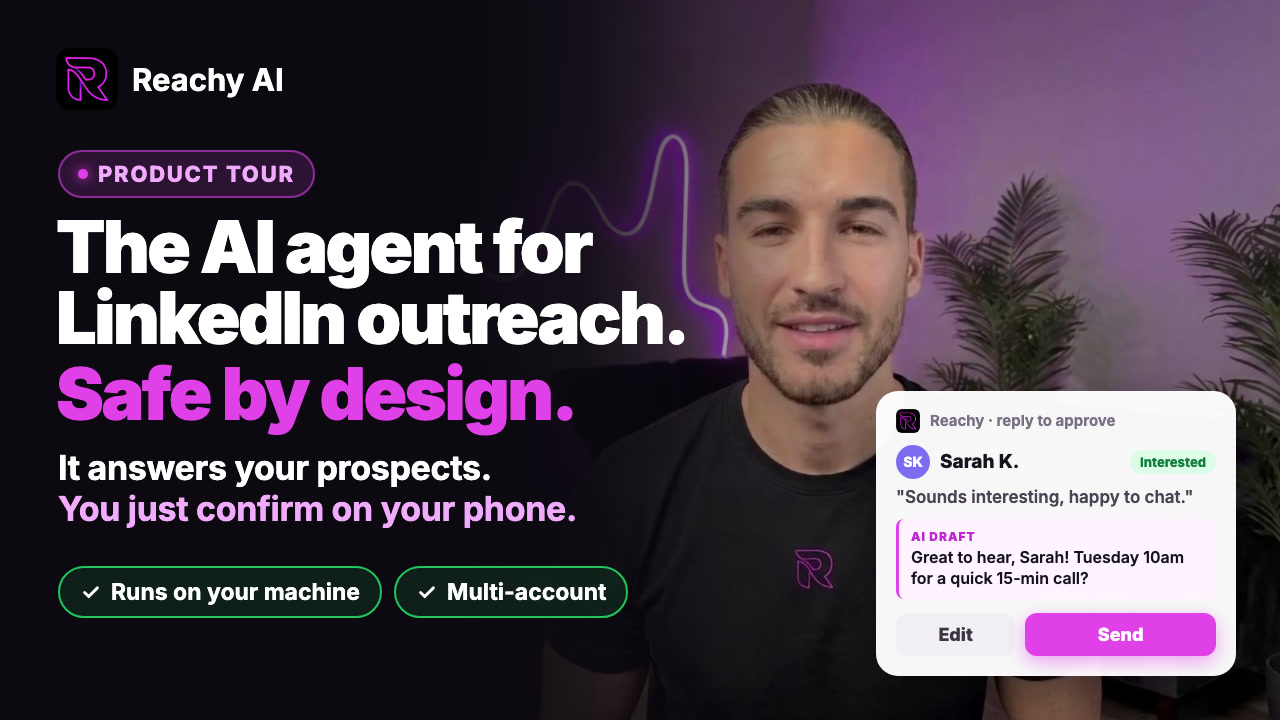
Here’s the idea in under a minute:
The rest of this article explains what changed and why.
Why did we stop building a campaign manager?
Most LinkedIn tools, including the old Reachy, are built around tabs: search, invite, write messages, analyze. You are the operator. You build the list, tune the filters, schedule the steps and check the numbers every morning.
But when I look at the campaigns that actually book meetings, success comes down to three things:
- Reaching the right people. Not the most people.
- Saying something relevant to each of them. Not a template with a first name bolted on.
- Answering fast and well when someone is interested. That’s where deals are made.
Everything else is plumbing. The old interface made you manage the plumbing. The new one hands it to the agent and keeps you on the three things that matter.
What does an agent interface look like?
Starting a campaign is now a short conversation, one question at a time. Nothing runs until you click Launch.

- It starts from your website. Reachy reads your site, writes down what you offer and who it’s for, and proposes LinkedIn searches by job title. You fix anything that’s off, or skip ahead.
- Or from a signal. If you already know where your buyers are, pick a source instead: post engagers, event attendees, group members, company or influencer followers, a LinkedIn or Sales Navigator search, a Slack channel, or your own file.
- Then the essentials. Which accounts send, how many people to contact, the connection note, the opener and follow-ups, a name. Each answer saves as you go, so a half-finished campaign reopens where you left it.
Once it’s live, the dashboard stops being a wall of numbers. It tells you when the next run is, what the agent is doing (you can watch it work in the Agent View), and what needs you.
How does Reachy work with LinkedIn without an API or burning tokens?
LinkedIn has no public API for outreach. Tools work around that in one of two ways, and both have a cost.
- Cloud tools log into your account from their servers or proxies. LinkedIn sees a login from a data center, not from you.
- Generic AI browser agents use a language model to look at each page and decide where to click. It’s impressive in a demo, but every click spends tokens. It’s slow, the cost grows with every profile, and the same task doesn’t always run the same way twice.
Reachy does neither. It has its own engine, built only for LinkedIn, that runs in the browser inside the desktop app, on your machine, from your IP, at a human pace. It handles warm-up for new accounts, per-account daily limits and rotation across your accounts. Because it’s purpose-built code and not a model guessing at buttons, visiting a profile, sending an invitation or checking replies costs zero AI tokens. (If you’ve wondered where the money goes with AI outreach, I broke down the real cost of ChatGPT for LinkedIn outreach here.)
AI is spent only where judgment adds value. Here’s the split:
| Task | Who does it |
|---|---|
| Find profiles, visit them, send invitations and messages, check replies | Reachy’s LinkedIn engine (no tokens) |
| Read your website and define who it’s for | AI |
| Score every person against your ideal customer | AI |
| Write the connection note, opener and follow-ups | AI, with your approval |
| Tag replies as interested or not | AI |
| Talk with the people who are interested | You |

What does the AI do: scoring and scripting
Scoring. Every person Reachy finds is scored against “Who it’s for”, the description it drafted from your website and you edited. You decide the minimum score, and the campaign only spends invitations on people above it. As replies come in, Reachy also shows who actually replies with interest (for example, founders at companies of 11 to 50 people in the United States), and you can add that to your goal in one click. Targeting gets sharper the more you send.
Scripting. Reachy writes the connection note, the opener and the follow-ups from your offer and each person’s profile. You can rewrite any message with AI, fix spelling, insert variables or AI fields, and preview exactly what a given person will receive. Follow-ups stop as soon as someone replies.

The AI is included on every plan. If you prefer your own model, plug in a Claude, GPT, Gemini or OpenRouter key and pay the provider’s price with no markup.
Where does the human come in?
The AI opens doors. You have the conversations.
When someone replies with interest, Reachy tags it and puts it at the top of your dashboard under Needs you. The inbox gathers the conversations from all your LinkedIn accounts in one place, and the People view shows every contact’s stage, from not connected to converted.

This is the part I don’t want to hand over to a machine. A prospect who says “tell me more” deserves a real answer from a real person, and that conversation is where your time has the highest return. Everything before it, the searching, scoring, inviting, writing and following up, is work the agent can do better at scale than you can by hand.
Update, Reachy 3.4.5: the agent now helps here too, without taking over. With AI replies on, Reachy sorts each answer and drafts the next step from your offer: your booking link, a trial, a discount code. The draft lands on your phone (Telegram, Slack or Discord) or in Claude and ChatGPT, and nothing goes out until you tap Send. Negotiations and unusual questions stay yours. More in AI replies to LinkedIn prospects.
Is the classic interface gone?
No. New users start on the new interface. If you’ve been using Reachy with a license, you can switch between the new and classic interfaces at any time with the New toggle at the top of the sidebar. Both work on the same campaigns, contacts and accounts.
How do you try it?
- Download Reachy for Mac, Windows or Linux. The 14-day trial includes everything, no card required.
- Connect your LinkedIn account.
- Click New campaign and paste your website. Reachy takes it from there.
Want the background? See why running locally keeps your LinkedIn account safer, how Reachy builds an audience from a website URL, and plans for multiple accounts.
Let the agent open the doors. Spend your time with the people who walk through them.
Frequently asked questions
- What changed in the new Reachy interface?
- Reachy 3.4 replaces the campaign-manager screens with an agent interface. You brief Reachy in a short conversation (your website, where to look, how many people, your messages), click Launch, and Reachy runs the outreach. The dashboard then tells you what needs you, mainly the interested replies to answer.
- Does Reachy use the LinkedIn API?
- No. LinkedIn has no public API for outreach. Reachy uses its own engine, built specifically for LinkedIn, that runs inside the desktop app on your computer, from your own IP and at a human pace, with automatic warm-up and per-account limits.
- Does Reachy spend AI tokens to browse LinkedIn?
- No. Visiting profiles, sending invitations, sending messages and checking replies are done by Reachy's own engine, not by an AI model clicking around, so those actions cost no tokens. AI is used only where judgment helps: reading your website, scoring people, writing messages and qualifying replies.
- Can I still use the classic Reachy interface?
- New users start on the new interface. Existing users with a license can switch between the new and classic interfaces at any time with the New toggle at the top of the sidebar. Both work on the same campaigns and data.